

Available Viber chats
Review supported messages around a question or alert.
Viber brings private chats, group threads, communities, channels, and internet calls into one app. FonSee can help a parent review available Viber activity on a supported family phone when a specific contact or group starts to feel unsafe.
Use FonSee only on an authorized phone, with required notice and consent. Support varies by phone, setup, and plan.
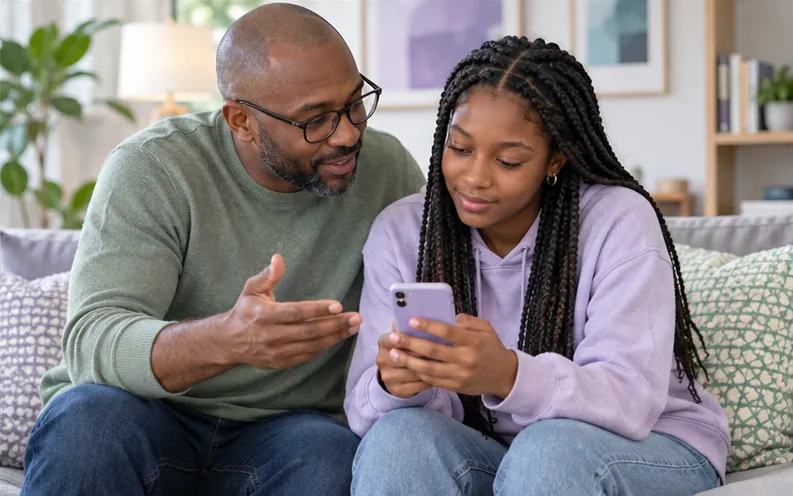
Review supported messages around a question or alert.

Check available caller, contact, and time details.

Notice shared links or group activity connected to the concern.
FonSee Viber tracker can show available Viber chats, contacts, calls, timestamps, and shared items from a supported, authorized family phone. Coverage may be partial and can change as the app or phone platform updates.
A public community can expose a teen to strangers, misleading offers, adult material, or pressure to join a private thread. Private calls can also come from numbers that look local or familiar. Start with the group, contact, or time that changed the child’s experience. The available context may point to a privacy-setting change, a blocked caller, a group exit, or a direct conversation about safe communities.
Hidden chats, deleted messages, encryption, community settings, and Viber updates can affect what becomes available. Treat gaps as limits rather than accusations. A chat excerpt cannot carry a whole friendship, joke, disagreement, or change in tone. Ask your child what happened before deciding what the words mean.
The sample view keeps viber activity, the selected family phone, and the available time or source details together. Start with the item tied to your question. Check its label and surrounding context instead of opening a wider history without a reason.
Community size and a polished channel name do not prove a group is safe. Review who runs it, what it asks members to do, and how private contact begins.
A defined reason keeps the review focused and easier to explain. These examples show how the feature can support a conversation without turning ordinary phone use into a constant investigation.

Review the available group context and help your child leave or report it. Talk about how public groups can move strangers into private messages.
Check the pattern and ask what was said. Use blocking tools and involve a trusted adult or authority if the caller threatens or coerces.
Pause before opening it. Check the sender and explain copied sign-in pages, fake giveaways, fees, and requests for verification codes.
App coverage changes as services update encryption, disappearing messages, account types, and phone permissions. Check the current support details for the exact app and device.
Check device compatibilityConfirm the exact phone, operating system, setup method, permissions, connection needs, and FonSee plan before you depend on the feature.
Explain which concern may lead to a review, who can open the dashboard, and which ordinary conversations will stay private.
Open the smallest useful part of viber activity, check the available source and time, and use it to understand the exchange and choose a proportionate next step. Close the dashboard when the question is answered.
Messages often include friends and classmates who did not choose your family plan. Keep their information private and share it only when safety or lawful reporting requires it.
Connect only a phone you own or are allowed to manage. Follow the notice, consent, privacy, and recording rules that apply where you live.
Conversations can include friends, relatives, teachers, and classmates. Share their words or images only when a safety response or lawful report truly needs them.
Use a strong password, limit account access, sign out on shared computers, and keep sensitive phone information out of group chats and social posts.
Parents need useful context and a clear next step, not more data for its own sake.
“A community looked harmless from its name, but the shared links told a different story. We left the group and changed who could add our daughter to new chats.”
Check the practical details before connecting a family phone.
Depending on support, it may show available Viber chats, contacts, calls, timestamps, and shared items from the connected family phone. It does not guarantee a complete account history.
Do not assume complete recovery. Deleted data, disappearing content, encryption, app protections, permissions, and connection timing can limit what appears.
Coverage differs by operating system and setup method. Check current support for the exact phone, app version, account type, and FonSee plan.
Coverage can differ across private chats, communities, channels, and protected areas. Check current Viber support and do not assume every section is available.
No. Support varies by phone, operating system, setup, permissions, connection, and plan.
Yes. Use it only on an authorized phone and follow applicable notice, consent, and privacy rules.
Check that the phone is online, connected, supported, and allowed to provide the feature.
No. Phone data gives limited context. Ask what happened before reaching a conclusion.
Check current Viber support, agree on a narrow reason to review activity, and keep the next conversation focused on help rather than blame.


