

Available LINE chats
Review supported messages near the concern.
LINE brings private messages, groups, voice and video calls, OpenChat communities, timelines, and shared items into one service. FonSee can help parents review available activity from a supported family phone when a specific contact or community raises concern.
Use FonSee only on an authorized phone, with required notice and consent. Support varies by phone, setup, and plan.
Review supported messages near the concern.

See available names, calls, and times tied to a contact.

Notice available group, timeline, or shared-link details.
FonSee LINE tracker app can show available LINE chats, contacts, calls, groups, timestamps, and shared items from a supported, authorized family phone. Coverage may be partial and can change as the app or phone platform updates.
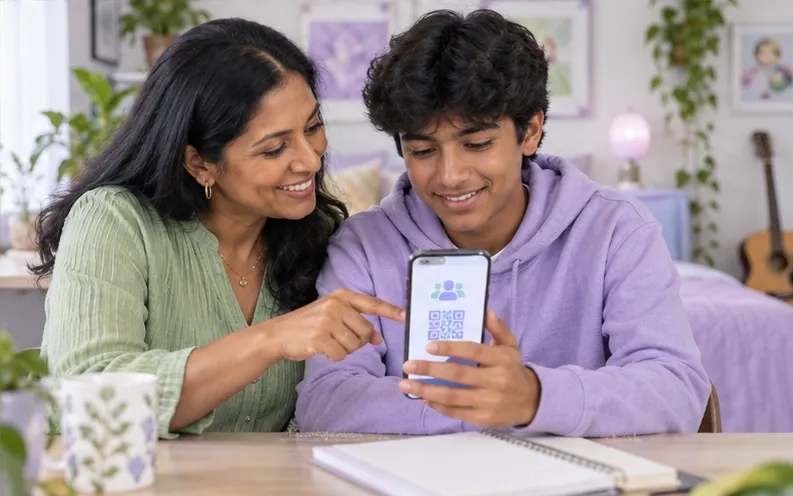
An OpenChat group can connect a teen with people outside their real-life circle, while copied accounts and QR invitations can make a stranger look familiar. Check how the connection began and what the account asked the teen to do. A focused review can lead to safer add-by-ID settings, a blocked contact, a group exit, or a direct talk about public communities and private messages.
Letter Sealing encryption, deleted messages, hidden chats, app updates, and connection timing can limit what appears. The visible account name does not confirm identity. A chat excerpt cannot carry a whole friendship, joke, disagreement, or change in tone. Ask your child what happened before deciding what the words mean.
The sample view keeps line activity, the selected family phone, and the available time or source details together. Start with the item tied to your question. Check its label and surrounding context instead of opening a wider history without a reason.
QR codes and account IDs are easy to share beyond the intended group. Treat unexpected invitations and urgent requests with the same care as a message from an unknown number.
A defined reason keeps the review focused and easier to explain. These examples show how the feature can support a conversation without turning ordinary phone use into a constant investigation.

Review the available group context and help your child leave or report it. Discuss how public communities can lead to private pressure.

Verify the friend another way and never send a login or payment code. Secure the account and report impersonation when needed.
Ask who created the group, what information members can see, and how moderation works before your child joins or shares it further.
App coverage changes as services update encryption, disappearing messages, account types, and phone permissions. Check the current support details for the exact app and device.
Check device compatibilityConfirm the exact phone, operating system, setup method, permissions, connection needs, and FonSee plan before you depend on the feature.
Explain which concern may lead to a review, who can open the dashboard, and which ordinary conversations will stay private.
Open the smallest useful part of line activity, check the available source and time, and use it to understand the exchange and choose a proportionate next step. Close the dashboard when the question is answered.
Messages often include friends and classmates who did not choose your family plan. Keep their information private and share it only when safety or lawful reporting requires it.
Connect only a phone you own or are allowed to manage. Follow the notice, consent, privacy, and recording rules that apply where you live.
Conversations can include friends, relatives, teachers, and classmates. Share their words or images only when a safety response or lawful report truly needs them.
Use a strong password, limit account access, sign out on shared computers, and keep sensitive phone information out of group chats and social posts.
Parents need useful context and a clear next step, not more data for its own sake.
“The group invitation had traveled far beyond the original class. We changed the privacy settings and talked about checking who can join before sharing another code.”
Check the practical details before connecting a family phone.
Depending on support, it may show available LINE chats, contacts, calls, groups, timestamps, and shared items from the connected family phone. It does not guarantee a complete account history.
Do not assume complete recovery. Deleted data, disappearing content, encryption, app protections, permissions, and connection timing can limit what appears.
Coverage differs by operating system and setup method. Check current support for the exact phone, app version, account type, and FonSee plan.
Coverage can vary across OpenChat, encrypted chats, calls, and other areas. Check current compatibility and do not assume every section is available.
No. Support varies by phone, operating system, setup, permissions, connection, and plan.
Yes. Use it only on an authorized phone and follow applicable notice, consent, and privacy rules.
Check that the phone is online, connected, supported, and allowed to provide the feature.
No. Phone data gives limited context. Ask what happened before reaching a conclusion.
Check current LINE support, agree on a narrow reason to review activity, and keep the next conversation focused on help rather than blame.


