Change awareness
See available notice when a supported phone reports a SIM change.
A SIM may change because of a carrier upgrade, travel plan, repair, lost phone, new number, or account problem. FonSee can provide available SIM change information from supported family phones so parents know when to check in.
Use FonSee only on an authorized phone, with required notice and consent. Support varies by phone, setup, and plan.

See available notice when a supported phone reports a SIM change.

Confirm the affected model and current connection details.

Use the alert to verify a planned carrier or travel change.
A SIM change alert can notify a parent when a supported connected phone reports a physical SIM or eSIM change. The alert does not explain why the change happened.
Families change SIMs for ordinary reasons, including travel, coverage, upgrades, repairs, and number transfers. Ask the phone user and check the carrier account before treating the alert as suspicious. A timely check can uncover an expected change, a lost device, an interrupted connection, or an account takeover that needs fast carrier support.
eSIM behavior, dual-SIM phones, carrier updates, offline periods, permissions, and system changes can delay or change the alert. A phone record shows an event or setting, not the full reason behind it. Match the data with a direct conversation and any other relevant context.
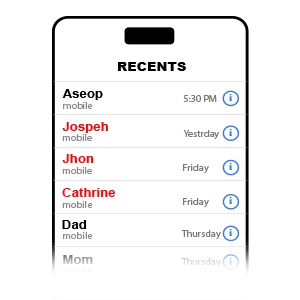
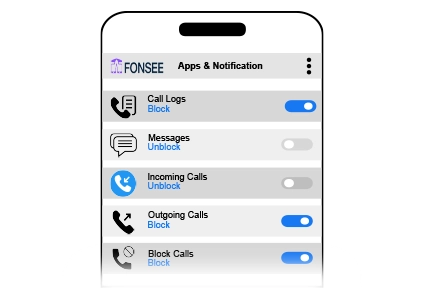
The sample view keeps sim change information, the selected family phone, and the available time or source details together. Start with the item tied to your question. Check its label and surrounding context instead of opening a wider history without a reason.
eSIM behavior, dual-SIM phones, carrier updates, offline periods, permissions, and system changes can delay or change the alert. Check the available source and time before deciding what the information means.
A defined reason keeps the review focused and easier to explain. These examples show how the feature can support a conversation without turning ordinary phone use into a constant investigation.
Confirm the plan, active line, roaming settings, and family contact number before the trip.
Secure the account, contact the carrier, and use official device-finding and account-recovery tools.
Verify the service work and make sure the correct family number and emergency contacts still function.
The available history depends on the phone, operating system, connection, permissions, and when the device was connected. Check support before relying on a specific record.
Check device compatibilityConfirm the exact phone, operating system, setup method, permissions, connection needs, and FonSee plan before you depend on the feature.
Tell your child which records may appear, how often you plan to look, who has access, and when older information will be removed.
Open the smallest useful part of sim change information, check the available source and time, and use it to verify the phone, carrier, and account. Close the dashboard when the question is answered.
Device records can be delayed, incomplete, or easy to misunderstand. Use dates and labels to ask a better question, not to turn one item into a verdict.
Connect only a phone you own or are allowed to manage. Follow the notice, consent, privacy, and recording rules that apply where you live.
Check planned changes, dual-SIM settings, carrier messages, and the phone user’s explanation before deciding what happened.
Use a strong password, limit account access, sign out on shared computers, and keep sensitive phone information out of group chats and social posts.
Parents need useful context and a clear next step, not more data for its own sake.
“The alert came from a travel eSIM we had discussed but forgotten to note. Checking the carrier account resolved it in minutes.”
Check the practical details before connecting a family phone.
It may show that a supported phone reported a physical SIM or eSIM change, along with available device or time details.
No. Device support, permissions, phone power, connection, app rules, and setup timing can limit what appears or changes.
Support differs by operating system and setup method. Check the exact phone, version, permissions, and FonSee plan before buying.
No. Travel, upgrades, repairs, number transfers, and dual-SIM changes are common explanations. Verify the device and carrier account.
No. Support varies by phone, operating system, setup, permissions, connection, and plan.
Yes. Use it only on an authorized phone and follow applicable notice, consent, and privacy rules.
Check that the phone is online, connected, supported, and allowed to provide the feature.
No. Phone data gives limited context. Ask what happened before reaching a conclusion.
Confirm device support and decide who will verify carrier and family contact details after an alert.