

Context in one place
Review supported phone information without jumping between many tools.
FonSee is built for parents and guardians managing family devices they own or are authorized to access. The product brings supported phone information and controls into one dashboard, while keeping communication, consent, privacy, and proportionate use at the center.
Use FonSee only on an authorized phone, with required notice and consent. Support varies by phone, setup, and plan.


Review supported phone information without jumping between many tools.

Connect app, web, or routine settings to a clear family need.
Keep notice, consent, privacy, and device limits visible.
FonSee is parental-control and phone-monitoring software for family devices that a parent or guardian owns or is authorized to manage. Features vary by device, system, permissions, connection, and plan.
Parents often need help understanding a missed check-in, unfamiliar contact, sudden change in phone habits, or repeated interruption. FonSee is designed to organize available context so the next step can be specific rather than driven by fear. The product is most useful when families discuss what may be reviewed, which controls may be used, and how privacy should grow with age and trust.
Phone data cannot guarantee safety, prove intent, or replace a direct conversation. Technical access also does not create legal permission. A dashboard may show only the information the phone can provide. Missing, delayed, or partial data should be treated as a technical limit, not suspicious behavior.
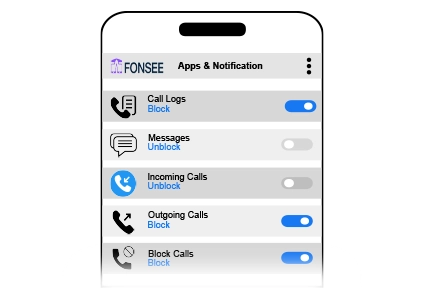
The sample view keeps fonsee family tools, the selected family phone, and the available time or source details together. Start with the item tied to your question. Check its label and surrounding context instead of opening a wider history without a reason.
Phone data cannot guarantee safety, prove intent, or replace a direct conversation. Technical access also does not create legal permission. Check the available source and time before deciding what the information means.
A defined reason keeps the review focused and easier to explain. These examples show how the feature can support a conversation without turning ordinary phone use into a constant investigation.
Choose the few concerns that matter now, explain available features, and write down when a review or control is appropriate.
Check support, timestamp, and context before reacting, then ask the phone user what happened.

Reduce routine review, remove old restrictions, and keep only the boundaries tied to current safety or family needs.
Available phone information depends on device support, permissions, connection, storage, account settings, and plan. Confirm what is included before setup.
Check device compatibilityConfirm the exact phone, operating system, setup method, permissions, connection needs, and FonSee plan before you depend on the feature.
Decide which information serves a real family need, who may view it, how it will be protected, and when it should be deleted.
Open the smallest useful part of fonsee family tools, check the available source and time, and use it to use phone context to support a fair family decision. Close the dashboard when the question is answered.
Personal phone data can include private details about other people. Limit access, protect the dashboard, and avoid keeping copies without a clear reason.
Connect only a phone you own or are allowed to manage. Follow the notice, consent, privacy, and recording rules that apply where you live.
Use the least intrusive feature that addresses the concern, protect dashboard access, and revisit the plan as the child matures.
Use a strong password, limit account access, sign out on shared computers, and keep sensitive phone information out of group chats and social posts.
Parents need useful context and a clear next step, not more data for its own sake.
“The useful change was not seeing more. It was agreeing on which moments deserved a check and which everyday conversations stayed private.”
Check the practical details before connecting a family phone.
FonSee can organize supported family-phone context and controls after an authorized device is connected.
No. Device support, permissions, phone power, connection, app rules, and setup timing can limit what appears or changes.
Support differs by operating system and setup method. Check the exact phone, version, permissions, and FonSee plan before buying.
No. It can provide context and controls, but parents still need communication, judgment, platform tools, and appropriate outside help.
No. Support varies by phone, operating system, setup, permissions, connection, and plan.
Yes. Use it only on an authorized phone and follow applicable notice, consent, and privacy rules.
Check that the phone is online, connected, supported, and allowed to provide the feature.
No. Phone data gives limited context. Ask what happened before reaching a conclusion.
Review features, check compatibility, and agree on privacy boundaries before connecting a family device.
